Powerful Features for
Effortless Bug Reporting
Everything you need to capture, share, and investigate bugs faster than ever before
Complete Bug Capture Suite
What the extension captures, and what the report does with it once it arrives
AI Reads Every Report
The first time somebody opens a report, a model reads the whole capture and writes back steps to reproduce it, the likely cause and a suggested severity. It can be wrong, and the panels beside it hold what was actually recorded.
Video Recording
Capture exactly what happened with high-quality video recording. Show developers the exact steps to reproduce any bug. How long a recording may run belongs to the site it is filed on: five minutes on a domain nobody has claimed, ten on Starter and thirty on Professional. When the ceiling arrives the recording is finished and everything up to that point is kept, so a capture is never lost to a limit nobody mentioned.
Screenshots
Take an instant screenshot and mark it up before you send it - you draw on the image yourself, freehand, in whichever colour you pick. Perfect for quick bug reports without video overhead.
Technical Details
Automatically capture browser info, console output, screen size and system details. No manual work required.
Network Log & HAR File
Every request the page made while you recorded, with statuses, headers and timings - and a HAR file to download and open in DevTools.
Response Bodies On Request
Tick one box before recording and the extension attaches Chrome's debugger, so the report carries what the server actually sent back, not only the request line. Off unless the reporter turns it on, and Chrome shows its own banner the whole time.
What The User Did
A timeline of the clicks, form entries and page changes leading up to the bug, so you can follow the steps rather than guess them.
Public Or Private, Your Choice
A share link is public by default, which is how you send a bug to somebody. Claim your domain on a paid plan and you decide instead: reports can start private, opening only for the person who filed one and for your team, and you can change a report either way afterwards.
Team Collaboration
Invite the people who fix things, and every report for your domains is theirs to read, to note and to move from pending to resolved. Notes are team-only unless you address one to the reporter. Assignment is still to come.
Session Replay
The recording and its context stay in step. Click a console line, a network request or an entry in the timeline and the video jumps to that moment; play the video and each panel marks the entry belonging to the frame on screen.
AnalyticsComing soon
Bug trends, resolution times and reporter activity over time.
Model Context Protocol
Point your own agent at your reports, so it can read them the way a person does. Available on the Professional plan.
Slack, Microsoft Teams, Jira Cloud, Webhooks, GitHub, GitLab, Bitbucket, Linear, ClickUp, Trello, Asana and Shortcut
A report does not have to end in a link somebody remembers to paste. Slack posts each new report as a card in the channel your team watches. Microsoft Teams does the same in a channel of yours, through a workflow you create there and whose URL you paste back. Jira Cloud opens it as an issue in the project you already work in. A generic webhook sends it to an endpoint of your own, bound to one of your domains. GitHub opens it as an issue in the repository you pick, and Linear in the team you choose. They all run over one delivery layer that keeps a log of how many times it tried and what came back, and a failed delivery is sent again on a widening schedule, up to six attempts.
The Report Reads Itself
Every report is named when it arrives, and read in full the first time somebody opens it. What comes back is a set of steps, a first view of what probably went wrong and a suggested severity - argued from the capture, with the line it came from quoted beside each step so you can check it rather than take it on trust.
- Steps to reproduce, in the order they were actually done
- A likely cause, hedged where the capture does not say
- A suggested severity for sorting a queue
- A name on the report from the moment it lands, instead of a URL
One-Click Capture
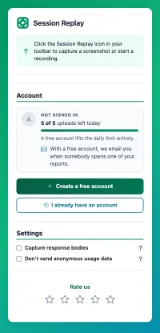
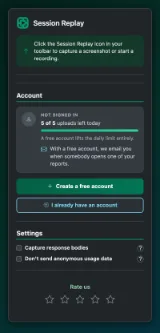
Reporters just click the extension icon and everything is captured automatically. No forms to fill, no technical knowledge needed.
- Instant screenshot or video capture
- Auto-capture browser & system info
- Console logs included
- Shareable link generated instantly
Centralized Dashboard
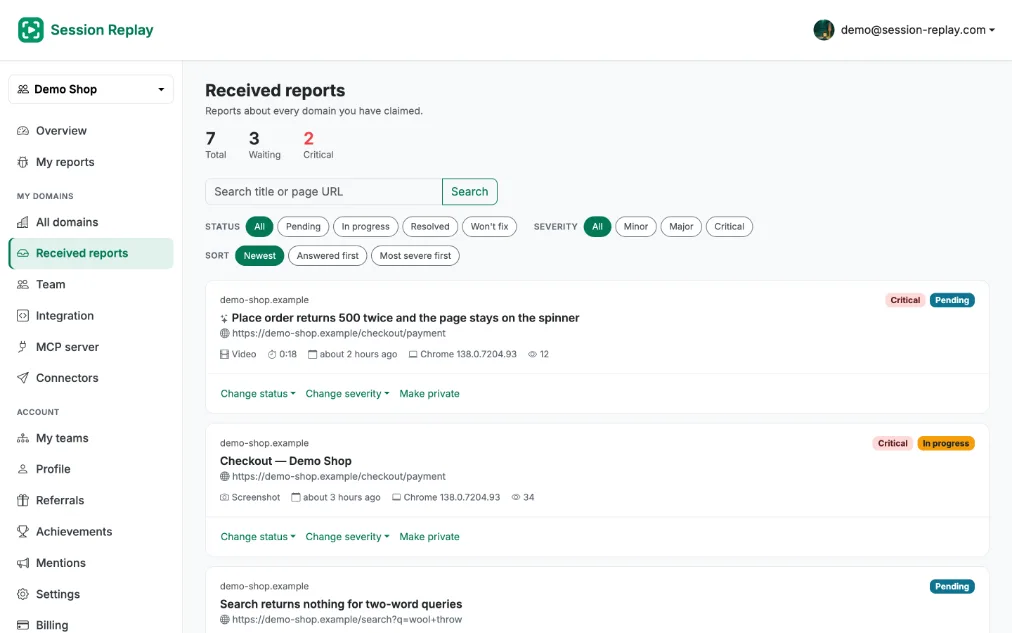
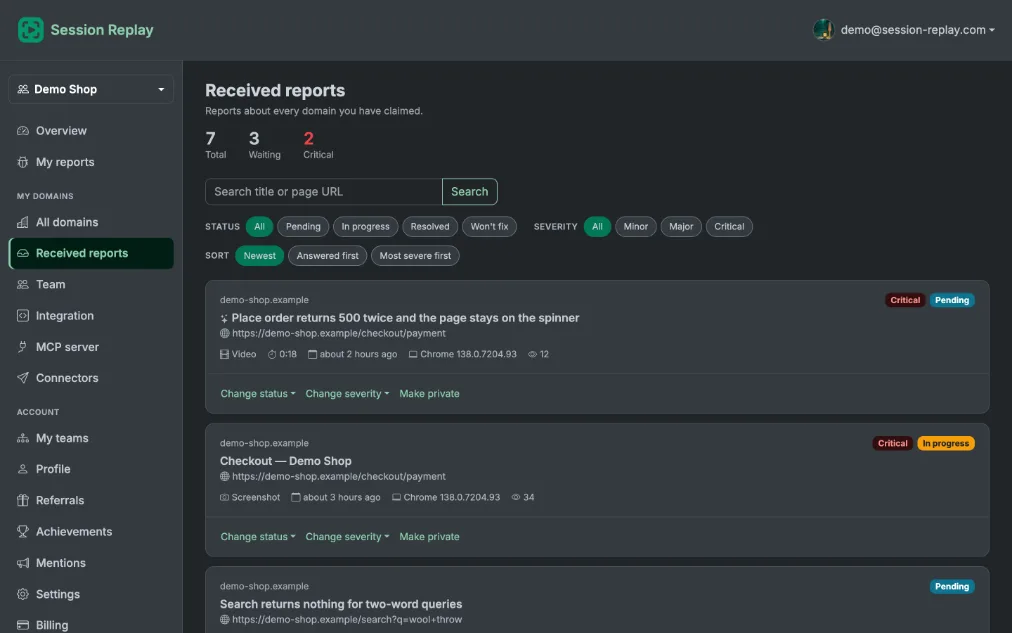
Every report filed on a domain you have claimed arrives in one dashboard, instead of reaching you only when somebody remembers to forward a link.
- All reports organized by domain
- Filter by where a report stands, or how serious it looks
- Reports can start private on a paid plan, and you can switch any one either way
- The domain alone, its subdomains, or hosts you name
Advanced Replay Player
Console errors, network requests and what the reporter clicked, in step with the recording. Click any row to jump the video to that moment; play it and each panel marks where the playhead is.
- Video playback with timeline markers
- Synchronized console & network logs
- Event timeline with user actions
- Download and share capabilities
Auto-Collection with Meta Tag
A meta tag on your site routes every report created there to your dashboard, with no extra step for the person reporting.
- One-line installation
- Automatic report routing
- Works with any web platform
- The same tag proves the domain is yours
<meta name="session-replay-site-verification" content="srv_your_token_here">Captured Technical Information
Everything developers need to investigate and fix bugs
Browser Information
System Information
Console & Logs
Network Activity
Ready to Fix Bugs 10x Faster?
Install it, press the button on the page that is misbehaving, and send a link that already answers the questions you would otherwise have to ask.
Install Free Extension