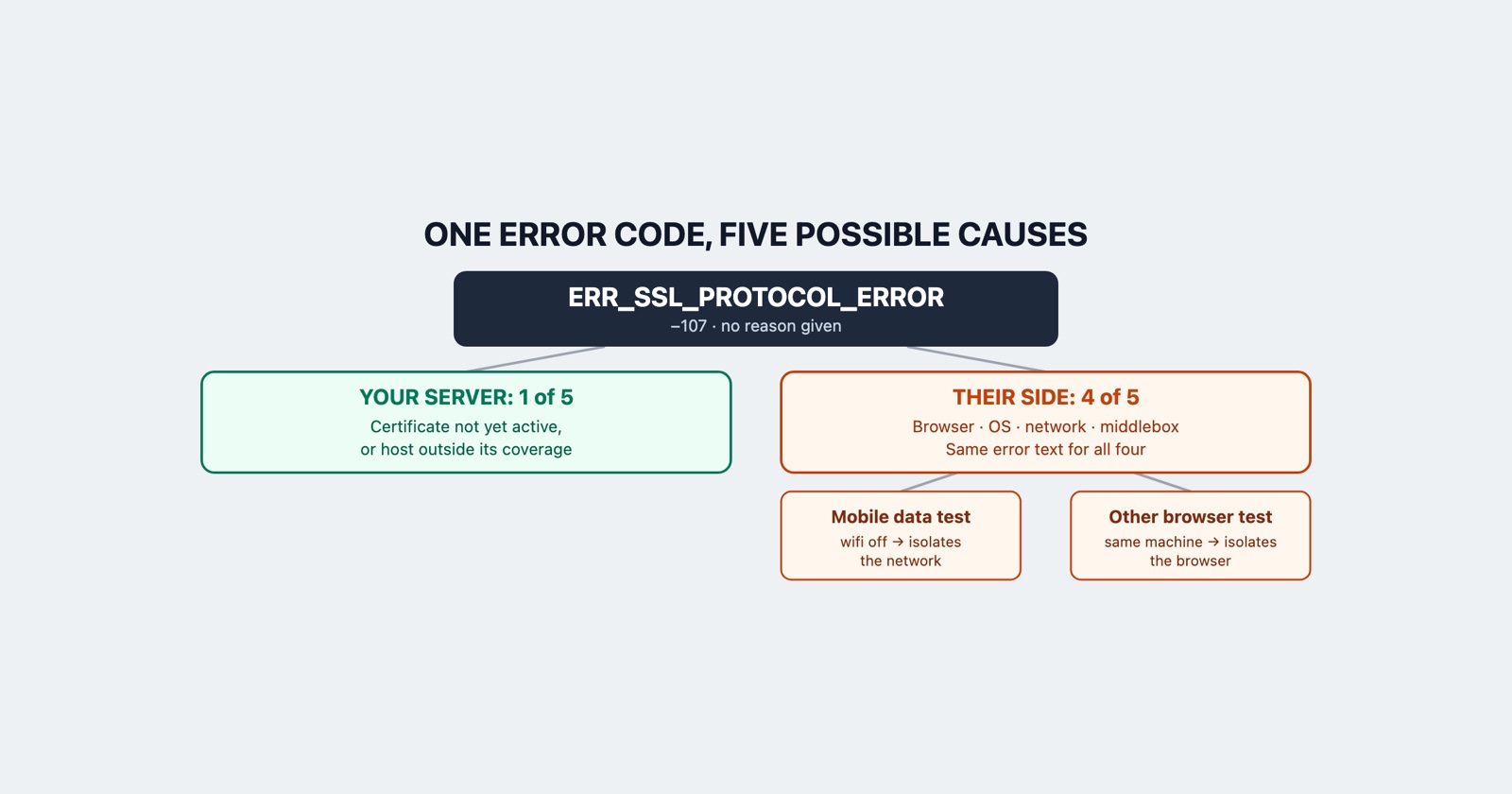
Somebody tells you your site will not load and sends you a code: ERR_SSL_PROTOCOL_ERROR. It
works for you. It works for everybody in the office. The page they are looking at is grey, has
about two sentences on it, and offers nothing else.
Here is Chromium’s own description of that error, from the file where every network error in Chrome is defined:
An SSL protocol error occurred.
That is the whole comment. Five words, for error number -107. It is not a shortened version of something longer; it is all the browser has.
It is the code Chrome uses when it cannot be more specific
The reason that matters is what sits around it in the same list.
A few lines further on is ERR_SSL_VERSION_OR_CIPHER_MISMATCH, number -113, and its description
is precise: “The client and server don’t support a common SSL protocol version or cipher suite.”
Further still is a whole range for certificates, where ERR_CERT_COMMON_NAME_INVALID, number
-200, carries four named causes, including the one where the user is on a wireless network and is
being redirected to the network’s login page.
So Chrome has more specific codes for the failures it can attribute. Getting -107 instead means the handshake failed in a way the browser could not put a name to.
This is the opposite of how the error is usually treated. Every guide to it is a list of eight things to try, and the length of the list is the tell: nobody writing one knows which of the eight applies, because the error does not say.
What actually fails, and how little of it is yours
Cloudflare’s own troubleshooting page for this error lists what they see behind it. Their summary is that the handshake failed, and the reasons they name are:
- A certificate issue, such as a certificate that is not yet active, or a multi-level subdomain not covered by the certificate that is there.
- A cipher suite mismatch, where in their words older clients may not support modern cipher suites.
- HTTP/3 and QUIC being blocked, by a network, a firewall or a device that does not carry QUIC over UDP.
- TLS 1.3 not being fully supported by network security devices that perform SSL inspection.
- Network interference: deep packet inspection, interception proxies, parental controls, carrier-grade NAT.
That is one CDN’s view from its own support queue rather than a complete taxonomy, and it is still the most useful list available, because of how it divides up.
Count what each one belongs to. The first is yours. The second is the reporter’s browser or operating system. The third, fourth and fifth are equipment and software between them and you: their router, their company’s inspection appliance, their antivirus, their ISP.
One of five is on your side, and the error text is identical for all of them.
Which is why the report arrives useless
“Your site is broken, ERR_SSL_PROTOCOL_ERROR” is a complete description of what the reporter can see and tells you almost nothing. The obvious next question, whether it is only them, is the one you cannot answer from where you are sitting: your machine is on a different network, behind different hardware, running different security software, negotiating with a possibly different edge node.
That is the same problem as telling your bug from somebody else’s outage, and it has the same property: the evidence that would settle it exists only on their machine, only while it is happening.
It is not the certificate warning, and the difference is large
If the reporter describes a red page warning them that the connection is not private, with a code
beginning ERR_CERT_, that is a different error and a far more tractable one: those codes name
their reason, and
which of the five it is
can be worked out in a minute.
ERR_SSL_PROTOCOL_ERROR has no such page and no such reason. Worth establishing which one they
actually saw before spending an afternoon on the wrong one, and the fastest way is to ask for the
screenshot rather than the description.
The two tests that divide the space
Cloudflare’s page ends its own advice by saying to collect diagnostic data from affected visitors, which is the honest shape of the answer. Short of that, two things a reporter can do in a minute narrow it more than anything you can run yourself.
Ask them to try it on mobile data, with wifi off. If it loads, the problem is between their network and you, and no change on your server will fix it for them. If it still fails, their network is not the cause.
Ask them to try another browser on the same machine. If it loads there, the cause is their browser: its protocol support, its own certificate store, or an extension sitting in front of it. If it fails in both, the machine or its network is involved, not the browser.
Those two answers between them account for four of the five causes above and cost the reporter
about ninety seconds. What you want written down alongside them: the full URL, whether it was
typed as http or https, the exact code, the time, and whether anything else was failing at the
same moment.
The case that is yours and looks like theirs
One pattern is worth knowing because it produces exactly this error on your side while looking
like a client problem. A certificate that is valid but not yet active, because its start date
is in the future, fails the handshake rather than producing a warning page, and it fails for
everyone whose clock is accurate. The same goes for a host that is one level deeper than the
certificate covers: app.eu.example.com against a certificate issued for *.example.com is not
covered, because a single wildcard matches one label.
Both of those are your fix, both arrive as this error, and neither is distinguishable from a middlebox problem without checking the certificate your edge is actually serving.
Session Replay
Free Chrome extension. One click on the page that is misbehaving captures the screenshot, the console and the network log, and hands you a link to paste into the ticket.
What to take from it
ERR_SSL_PROTOCOL_ERROR is not a diagnosis. It is the absence of one, and Chromium says as much
in five words. Treat it as the browser telling you that a handshake failed and that it could not
work out why, then spend your effort on the two questions that split the causes rather than on
the list of eight fixes, seven of which were never going to apply.