A 404 is the one error on this list that is usually working correctly. The server understood the request perfectly, looked for what you asked for, and there was nothing there. Nothing crashed and nothing is misconfigured. You asked for a thing that does not exist, and it said so.
Which is why a 404 in the address bar is rarely worth chasing. The link was old, the page moved, somebody mistyped. It is the most boring failure on the web.
The interesting ones never reach the address bar at all.
The 404 you see against the 404 you do not
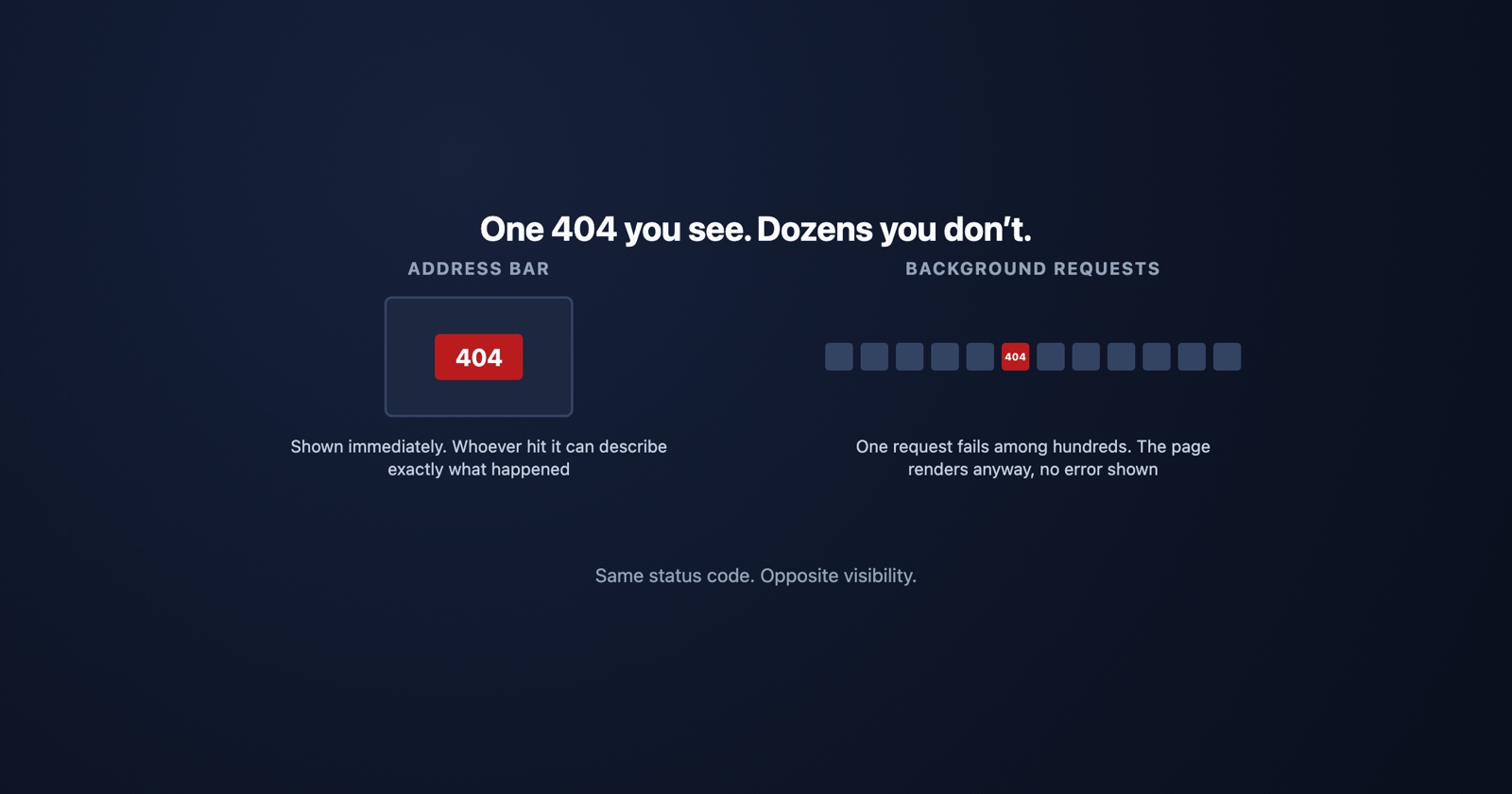
When you type an address and get a 404, the browser shows you a page and the story ends. You know exactly what happened.
When the page you are already on asks for something in the background and gets a 404, nothing
tells you. A stylesheet that does not arrive leaves the layout looking broken but rendered. A
script that 404s means one feature silently does nothing. A fetch for data returns a 404 body
that the code tries to parse as JSON, and what surfaces is a
TypeError, several
steps away from the real problem.
This is the version that produces the report every developer has read: “the page looks weird”, or “the button does nothing”. No error message, because there was no error page. The failure happened in the network log, and nobody was looking at the network log.
Two hundred requests can make up one modern page. Any one of them can 404 without stopping the other one hundred and ninety-nine.
Why a background 404 usually means a deploy
A 404 in the address bar is somebody’s link. A 404 on an asset the page itself asked for is nearly always the build.
A renamed or fingerprinted file. Asset pipelines put a content hash in the filename. If the HTML is cached and points at the old hash while the new deploy shipped a new one, the browser asks for a file that genuinely no longer exists. This clears itself for most people on a reload and persists for anybody holding a cached page, which is why it is so often reported by one person and irreproducible by everybody else.
A file that was never uploaded. A build step that failed quietly, an asset excluded by a
config change, a path that works locally because of case-insensitive filesystems and fails on a
Linux server because Logo.svg is not logo.svg.
An API route that moved. The front end and the back end shipped at slightly different times, and for a few minutes one is asking for an endpoint the other has already renamed.
All three are invisible from the page. All three are one line in a network log.
Soft 404s, which are worse than 404s
A soft 404 is a page that tells a human it could not find anything while telling every machine
that everything is fine: a friendly “sorry, nothing here” served with a 200 OK.
That combination is genuinely harmful in a way a real 404 is not. Search engines index it as a
working page, so the missing content stays in results. Monitoring never fires, because monitoring
counts status codes. And any code checking response.ok before parsing takes the error page as
data and fails somewhere further along, with a message about the shape of the JSON rather than
about the page being missing.
If you take one thing from this page: an error page must return an error status. A message a human can read and a truthful status code are not alternatives.
404 against the codes it gets confused with
- 404 Not Found
- The request was fine and there is nothing at that address. Says nothing about whether there ever was
- 410 Gone
- There was something here and it is deliberately, permanently removed. Search engines drop it faster
- 403 Forbidden
- It exists and you are not allowed it. Some sites return 404 instead, deliberately, so nobody can map what exists by probing
- 400 Bad Request
- The server could not parse the request at all, so it never got as far as looking
That third row is worth knowing when you are debugging somebody else’s API: a 404 on a resource you are fairly sure exists may be a 403 in disguise, hiding the existence of the thing from an unauthorised caller. Check whether you are authenticated before assuming the record is gone.
If it is your site
Fixing the 404 in front of you is the easy half. The useful work is finding the ones nobody reports.
The server access log has every one of them with the URL and the referrer, and the referrer is the part people skip. It tells you which of your own pages is linking to something missing, which turns a list of 404s into a list of bugs. Search Console does the same job for anything reachable from outside.
Then decide what each one should be. A moved page wants a redirect to the thing that replaced it, not a redirect to the homepage, which search engines treat as a soft 404 and readers experience as being ignored. Something genuinely deleted wants a 410. A typo nobody links to wants nothing at all: 404s are normal, and a site with none is a site redirecting things it should not.
Why the invisible ones are hard to report
A background 404 leaves the person seeing it with nothing to describe. They have a page that looks wrong, no error message, and no reason to think a file failed to load. So the report is “it looks broken on my machine”, and the developer opens the page, sees it working, and closes the ticket.
Session Replay
Free Chrome extension. One click on the page that is misbehaving captures the screenshot, the console and the network log, and hands you a link to paste into the ticket.
The network log is the whole difference here. A 404 on a request the page made is invisible on the screen and obvious in the log, so a report that carries the log turns “it looks weird” into a filename and a line number. That is usually the entire investigation.
In one paragraph
A 404 means the server understood you and has nothing at that address, which makes it the one error that is usually behaving correctly. The ones in the address bar are somebody’s stale link and rarely matter. The ones that matter are the requests a page makes in the background, where a missing stylesheet, script or API route produces a page that looks wrong with no error message at all, and nearly always traces back to a deploy: a fingerprinted filename, a file that never uploaded, or a route that moved. Serve real 404s with a 404 status rather than a friendly 200, because a soft 404 fools search engines and monitoring at the same time. And if you are chasing one, the referrer in your access log is what turns a list of missing URLs into a list of pages that link to them.