Somebody says a page is broken. You ask them to open it in an incognito window. It works. The conversation usually ends there, with a suggestion that they clear their cache, and that is the information being thrown away.
Incognito is not a clean browser. It is your browser with a specific and fairly short list of things switched off, and the list is the whole value of the test. Knowing it turns one sentence from the reporter into a bisect you can finish in a few minutes.
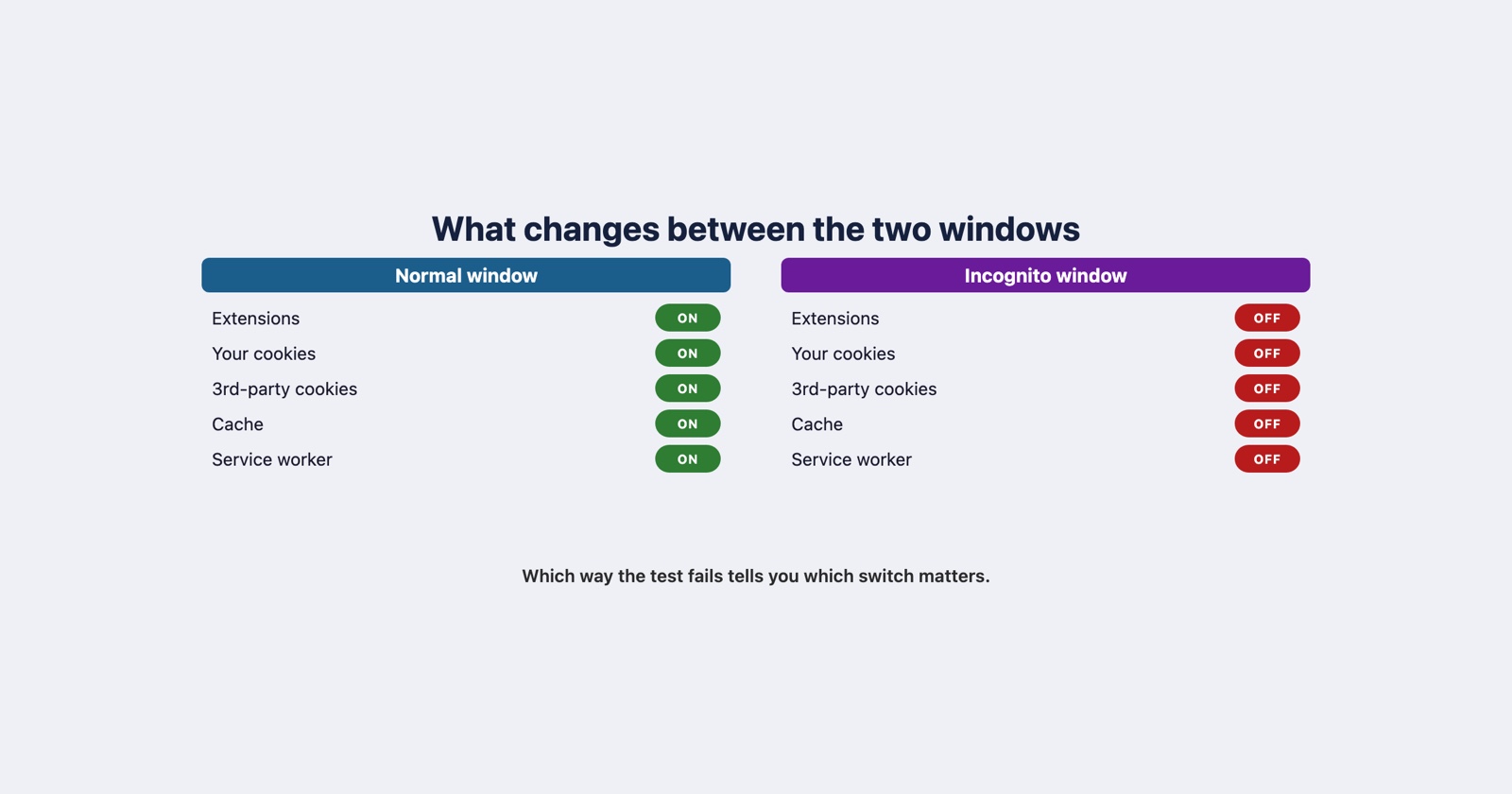
What an incognito window actually changes
Five differences, and most people can only name two of them.
Extensions do not run. This is the big one and the one people forget. Chrome’s extension documentation describes the relevant manifest key as declaring how an extension behaves “if allowed to run in incognito mode”: the permission is off until somebody turns it on, per extension, under Details and then “Allow in incognito”. So an incognito window is usually also an extension-free window, and that conflation is what makes the test ambiguous.
No cookies from your normal session. The window starts with none and throws away what it collects. In Chrome’s own words, it “temporarily keeps some information, like cookies and site data, to help websites work and support navigation”, and “this information is removed when the Incognito session ends”.
Third-party cookies are blocked. Separately from the above, and by default: “In Incognito mode, third-party cookies are blocked by default.” This one changes the result in the opposite direction from the others, which is the part worth sitting with below.
No cache or stored site data to reuse. Nothing your normal profile downloaded last week is sitting there to be served again, including anything the browser decided it could keep.
Service workers you registered are not there. A service worker belongs to a profile’s storage. The incognito session has its own, which is empty, so whatever is intercepting requests in the normal window is simply absent.
Which way the test pointed matters
The same experiment has two outcomes and they mean different things. Almost everyone only ever reasons about the first.
- Works in incognito, broken normally
- Something in their profile is involved: an extension, a stale cached asset, a service worker serving last week's code, or a cookie holding state your app is reading.
- Broken in incognito, works normally
- Something your page depends on is missing: a third-party cookie, a signed-in session, or data you assumed would be in storage because it always has been on your machine.
The second case is the one that gets misread as “incognito is just weird”. It is not weird. It is the only cheap way most people will ever reproduce what a first-time visitor experiences, and if your page breaks for them it is breaking for everybody who has never been to the site before.
Separating the five suspects without guessing
The weakness of the incognito test is that it changes five things at once, so a pass tells you one of five things is responsible and not which. These separate them, cheapest first.
- A fresh browser profile with extensions enabled. This is the test incognito should have been: new cookies, new cache, new storage, but your extensions still running. If the problem comes back here, it is not an extension, and you have eliminated the most common cause in about thirty seconds.
- A hard reload with the network panel open and “Disable cache” ticked. Separates stale assets from everything else. If this fixes it, you have a caching problem and the user’s browser is behaving exactly as told.
- Clear site data for that origin. In the Application panel, this removes cookies, local storage and the service worker registration in one action. If the problem goes away, the cause was state rather than code, and the next question is which piece of state.
- Unregister the service worker on its own. Worth doing separately from the above, because if this is the fix then the user was running code you stopped shipping, and no amount of deploying will reach them until the worker updates.
Running these in order gives you a cause rather than a correlation. Running incognito alone gives you a sentence everybody nods at.
What “works in incognito” does not mean
It does not mean the problem is on their machine, and it does not mean it is not your bug.
A service worker serving a stale bundle is your deployment. A cookie your application wrote and then could not parse is your code. An extension breaking your page is at least your compatibility problem if the extension is one a lot of your users have. The only reading that is actually unsafe is the one most often taken: that the page is fine and the user’s computer is not.
It also does not reproduce in the other direction. A developer who only ever tests in incognito is testing the first-visit path forever and will never see the bug that needs a week-old cookie to appear.
Asking for it properly
For the person reporting, this is one of the few diagnostics that costs nothing and needs no vocabulary: open a private window, go to the same page, tell me whether it does the same thing. It is the single best question on the list, and it is cheap enough to ask first.
What it cannot give you is why. The console error, the failed request and the version of the script that was actually running are still the things that settle it, and none of them survive the window being closed.
Session Replay
Free Chrome extension. One click on the page that is misbehaving captures the screenshot, the console and the network log, and hands you a link to paste into the ticket.
One caveat on using any extension for this, ours included: an incognito window will not run it unless it has been allowed there, which is the same rule that makes the test useful in the first place.
The short version
- Incognito turns off five things at once: extensions, existing cookies, third-party cookies, cache and service workers.
- Which direction the test fails in tells you which half of that list to look at.
- A fresh profile with extensions on is the follow-up that separates the most common cause from the rest.
- “Works in incognito” is the start of the diagnosis. Treating it as the end of one is how a stale service worker survives three deploys.