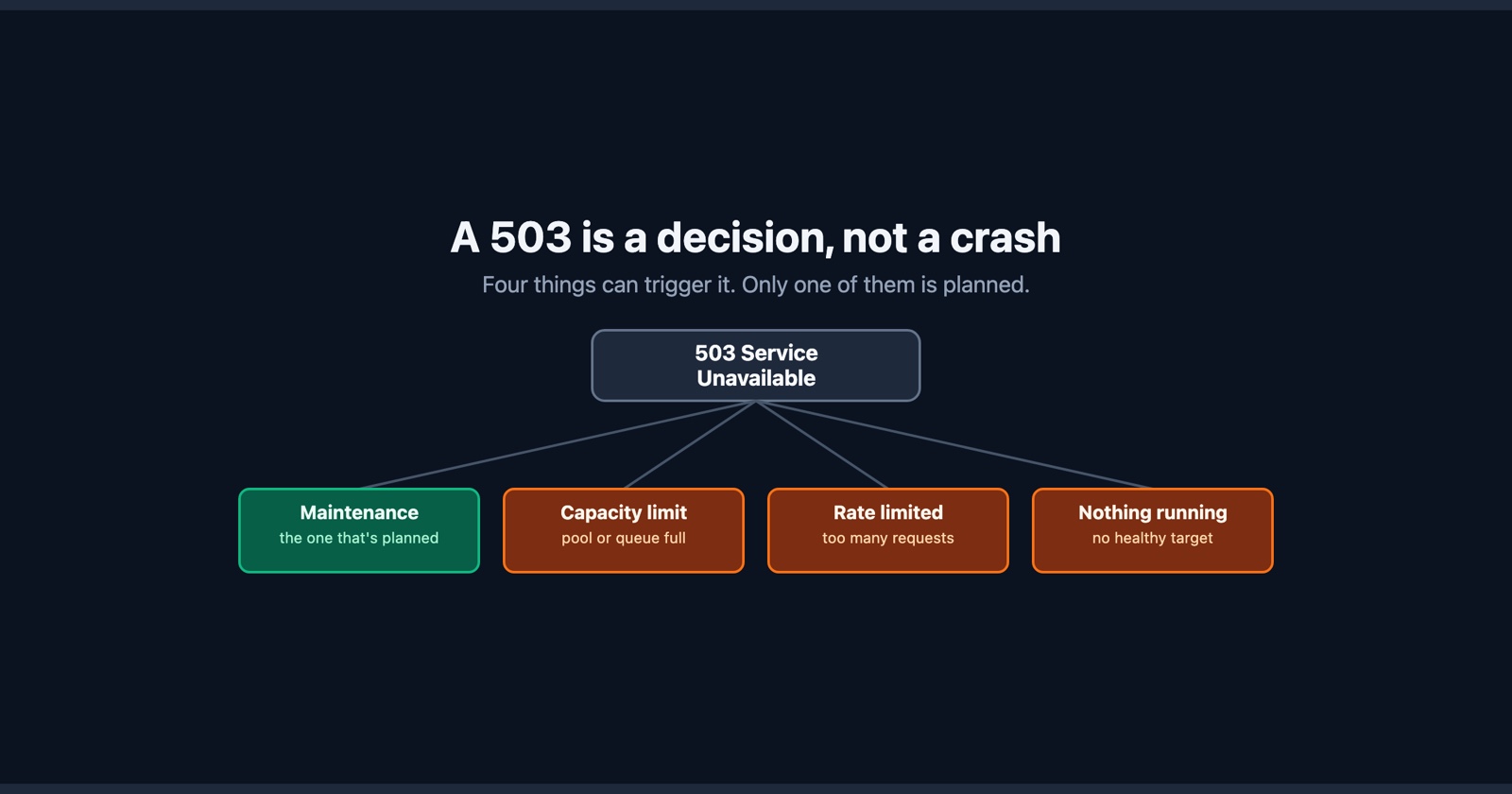
A 503 Service Unavailable is the one server error that is usually on purpose. Something decided that this request would not be served right now, and answered saying so, rather than trying and failing.
That makes it the odd one out in its family. A 500 is code that broke while it ran. A 502 is a proxy getting an unusable answer from the thing behind it. A 504 is that thing never answering in time. All three are failures. A 503 is a decision.
The four things that make that decision
They look identical from a browser and mean completely different things to whoever runs the site.
Maintenance mode. Somebody deliberately put the site behind a holding page while a migration runs or a deploy lands. This is the 503 working exactly as designed, and the only one where the right response is to come back later.
The application is not accepting connections. Every worker is busy, the connection pool is full, the queue in front of it is at its limit. The server in front is still up and still answering, so it answers with the only honest thing it has: not now.
A rate limiter. You, or the network you are on, sent more requests than a threshold allows. Some services use a 429 for this, which is more specific and more useful; plenty use 503, and a CDN sitting in front of an application will often turn one into the other.
Nothing is running. An autoscaler that has not caught up with a traffic spike, a deploy where the new version has not passed its health check, a container that died and has not been replaced. The load balancer has healthy targets to send traffic to, finds none, and returns a 503 because there is nowhere to send it.
Only the first of those is planned. The other three are the system saying it is at capacity or has lost something, in the polite form of words reserved for a temporary condition.
The header almost nobody reads
A 503 is the status code with an answer attached to it. The response can carry Retry-After,
which says either how many seconds to wait or the exact date and time to come back:
HTTP/1.1 503 Service Unavailable
Retry-After: 120
Content-Type: text/html
That is the site telling you it will be two minutes. Well-configured maintenance pages set it, CDNs pass it through, and it costs nothing to send.
Two things follow from that, and they point in opposite directions. If you are writing a client,
read the header rather than inventing your own backoff: a service that told you 120 seconds and
got a retry every two is being asked to serve the requests it just said it could not. And if you
are running the site, set it. A 503 with a Retry-After is a search engine holding the page
rather than treating it as gone, and a client that waits properly rather than one adding to the
load that caused the problem.
If you are the visitor
A 503 usually means waiting, and unusually for an error, the waiting often works. Reload after a minute or two. If it is a deploy or a spike, it clears on its own, and there is nothing in your browser that touches it either way.
The one thing worth checking is whether it is only you. A 503 that everyone gets is the site’s capacity or its maintenance window. A 503 that you get and a colleague on another network does not is more likely a rate limiter that has taken against your address, and a phone on mobile data answers that question in about ten seconds. That distinction is the whole of what telling your bug from their outage comes down to.
If it is your site
The response tells you almost nothing, but unlike a 500, the cause is usually in front of the application rather than inside it.
Start with which layer emitted it. A 503 from nginx, from a load balancer, or from a CDN looks the same to the browser and comes from three different places with three different logs. The body often gives it away, because each of them ships its own default page, and the response headers usually name the thing that produced them. If your application never ran, its log will be silent, and that silence is evidence rather than a dead end.
Then the obvious question, which is easy to skip when a site is down: is maintenance mode still on? A holding page that was meant to last ten minutes and outlived the deploy that raised it is a common enough 503 to check first, and takes seconds to rule out.
If it is capacity, the fix is not on the error page. Look at worker saturation, pool limits and queue depth over the window rather than at the requests that got the 503, because the ones that got the 503 are the ones that arrived after the problem started. If it is health checks, the question is whether the check is right about the application being unhealthy or whether it is failing for a reason of its own, and those need opposite responses.
Why a 503 is worth reporting properly
Most 503s clear. That is precisely what makes them slippery: by the time anybody investigates, the site is back up and there is nothing to look at. What you are left with is somebody’s memory of an error page, and a suspicion about roughly when.
Capacity problems and bad rollouts do not repeat on demand. They happen at the moment traffic crossed a line, and the evidence of them is a window in a graph that nobody knows to go and look at unless somebody wrote down when it happened.
Session Replay
Free Chrome extension. One click on the page that is misbehaving captures the screenshot, the console and the network log, and hands you a link to paste into the ticket.
For a 503 the useful part is the timestamp and the response headers: which layer answered, what
Retry-After it claimed, and the exact minute. That is enough to find the right window in a
dashboard, which is where the answer actually lives.
In one paragraph
A 503 Service Unavailable means something chose not to serve the request rather than trying and
failing, which is what separates it from a 500, a 502 and a 504. Four things make that choice:
maintenance mode, an application that has run out of capacity, a rate limiter, and a load
balancer with nothing healthy to send traffic to. Only the first is planned. If you are visiting,
wait a minute and then check whether anybody else sees it. If it is yours, work out which layer
answered before anything else, make sure maintenance mode is not simply still on, and set
Retry-After so that the clients waiting are waiting properly rather than adding to the load.