Four extension releases and a fortnight of work on the site have landed since the last of these posts on 26 August. The largest change is one you will find behind a checkbox, and the most useful is probably a bug that stopped happening.
Screenshots can take the whole page
There is a checkbox on the screenshot control now. Tick it and you get the entire page rather than the part of it on screen, which is the difference between a report that shows the broken thing and one that shows the top of a page with the broken thing somewhere below the fold.
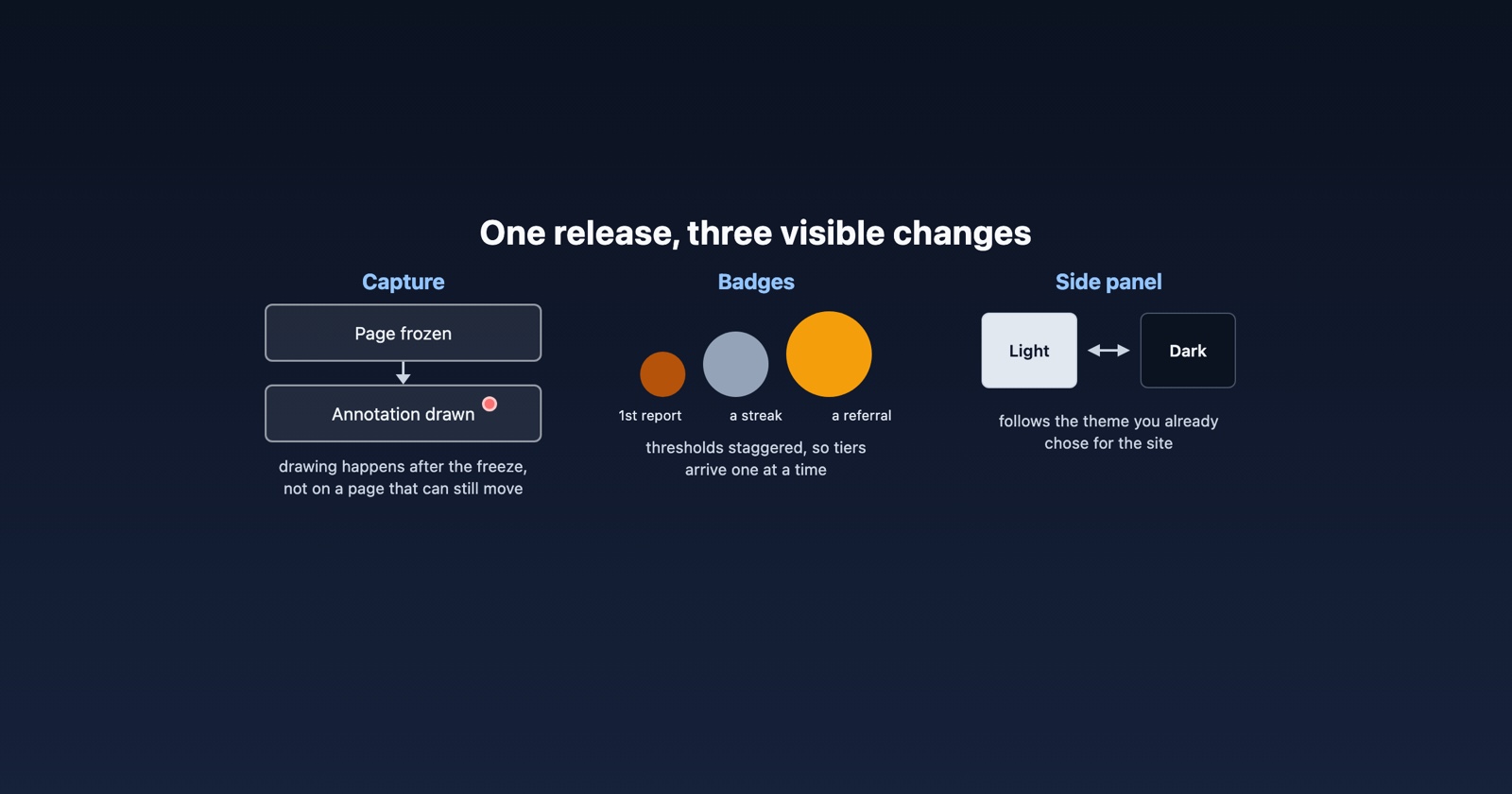
Annotations are drawn on the frozen capture, not the live page. Previously you were drawing on a page that was still running: it could scroll, a banner could appear, something could load and move what you were pointing at. Now the capture is taken first and the drawing happens on top of that, so what you circle is what the person receiving it sees.
Capture stops being refused when it should work
The panel used to disable both capture buttons when it believed it did not have access to the page. The check it used answered a different question from the one it was asked: it described what the extension declares rather than what it had actually been granted, so it said yes on pages where capture would be refused, and its failures were the ones nobody could explain.
It was measured on a real profile before it was replaced, which is the only way this sort of thing gets settled.
There is also a plainer failure message now. When a capture does not work, the panel says why, and which capture it was talking about.
The side panel has a dark theme
It follows the theme you have already chosen, rather than asking you to choose again.
The light one was worked on at the same time: several things in it were harder to read than they should have been, particularly smaller text, and that has been fixed rather than left for the dark theme to hide. The rating stars can be reached and used from the keyboard now too, which they could not before.
The panel’s icons are also served by us rather than fetched from elsewhere while you use it. A capture tool reaching out to a third party during a capture is a thing we would rather not do.
Annotations stay where you drew them
If you drew on a long page, scrolled, and drew again, the second annotation could end up in the wrong place. It was placed against the top of the page rather than against the part of it you were looking at.
They now land at the scroll position they were drawn at. This is the kind of thing that made a report look careless when the person filing it had been careful, which is the worst sort of bug we can ship.
You can see what you have earned
There are badges now, and they sit on your profile.
They cover the things worth encouraging: reports filed, streaks kept, people you brought in, and a set for anybody driving the product through an agent rather than by hand. Each has a card explaining what it is and what the next one needs, and the picture takes its colour from the tier.
Two things about how they arrive. The thresholds are staggered, so filing your first report earns one badge rather than four at once, which is both more honest and more use as a signal. And you are told once, on your next visit, with one email per batch rather than one per badge.
Your referral link is on the same page. It was previously something you had to ask for.
What we got wrong
Agent tool calls could fail because of our own accounting. If you use the MCP server, the code that counts your calls could fail the call it was counting. That is our bug, it affected real usage, and it is fixed.
Some text on the site was too pale to read comfortably, in places where we had checked it against a white background and then put it on a coloured one. Corrected across the header, the verified line and the muted text on the page generally.
Where to get the new version
The extension updates itself, so this is likely already the version you are running. The panel now offers you the release notes after an update, so the next time it changes under you, it will say what changed.
Session Replay
Free Chrome extension. One click on the page that is misbehaving captures the screenshot, the console and the network log, and hands you a link to paste into the ticket.
As ever, the fastest way to get something on this list is to tell us it is wrong. Several of the fixes above started as somebody saying a thing looked odd.