Session recording a developer can act on
A session recording of the thing that is broken, with the console output, the network log and the browser details attached - recorded when you press the button, and not before.
Two different things get called session recording
One of them is this. It is worth knowing which one you came for.
Recording a session to hand to a developer
Something breaks, you record it happening, and you send the recording to whoever has to fix it, with the console output and the requests the page made sitting beside the video. One session, recorded because somebody chose to. That is this.
Recording every visitor to study behaviour
Always-on capture of whole sessions, with funnels, heatmaps and dashboards on top, so a product team can see how people move through a site. That is what FullStory, Hotjar and LogRocket are for, and it is not this. If it is what you came for, they are the better answer.
What a recording carries with it
Collected around the capture, with nothing to fill in by hand.
The tab or an area of the screen
Chrome's own picker chooses what is recorded, so the recording stops at the edge of what you pointed it at. Sound is carried only when you record a tab and Chrome offers its audio.
Console output
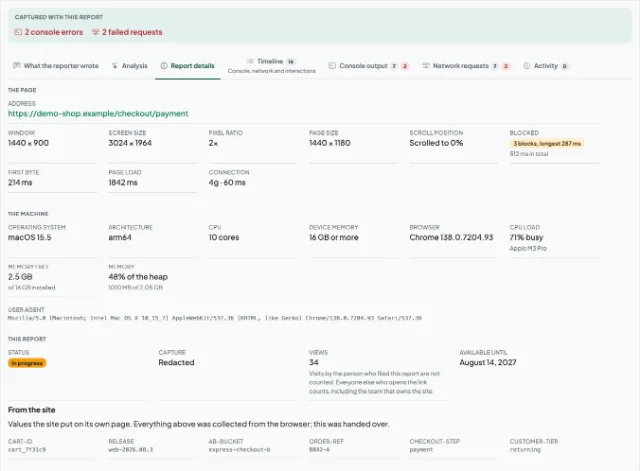
Errors and warnings from the page, stack traces included, so a developer can start at the exception rather than at the description of it.
Network log and HAR
Every request the page made while the recording ran, with method, status and timing - and the whole lot downloadable as a HAR file for DevTools. Response bodies stay out unless they are switched on for that recording.
Interaction timeline
What was clicked and typed while the recording ran, lined up against the video, so the steps to reproduce are already written.
Browser, system and window
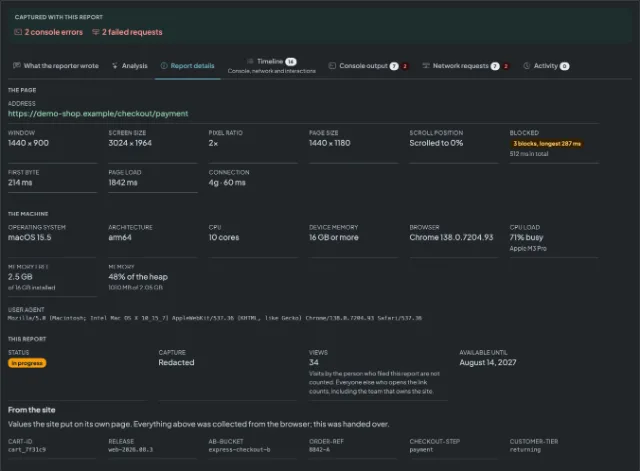
Browser and version, operating system, screen and window size. The four questions a triage comment usually opens with.
The moments before you pressed
So a report can include what happened just before the button, a small, capped record of the page's console output and of what you did is kept in the page's own memory. It is discarded when you leave the page and never leaves your browser unless you are recording that tab. Network requests are not recorded at all outside a recording.
What the person you send it to opens
Open the side panel on the page that is misbehaving and start the recording. Nothing is captured until you press the button, and the recording runs to five minutes by default, ten on Starter and thirty on Professional.
Stop it, add the one thing only you know - what you expected to happen - draw on the still if that points at it faster, and upload. The technical context goes with it.
Send the link. It opens for anyone who has it, with no account at either end, and stays available for 30 days, or 90 on Professional.
What this does not do
This is one half of what people mean by session recording, and it is the smaller half. So that a comparison is a fair one:
- No always-on session recording of every visitor. Capture is deliberate: a person presses a button, and only then is anything recorded.
- No heatmaps, funnels, segments or dashboards of user behaviour. A report is one bug, filed by one person.
- No replay of a session nobody recorded. If the button was never pressed, there is nothing to go back to.
- No webcam and no microphone. A recording is the tab or an area of the screen, and nothing else.
- No automatic filing into your tracker. A team can connect Jira and turn a report into an issue, but only when somebody presses the button on that report - nothing is filed on its own.
Questions about session recording
Record the bug, not the browsing
Press record when something breaks, and send a link that already answers the questions a developer would have asked.