Safari 27 shipped on 14 September 2026, with iOS 27, iPadOS 27 and macOS 27. Apple’s release notes add a line that matters more than it looks: the same Safari also goes to macOS 26 and macOS Sequoia. So it is not confined to people who took the new operating system. It reaches anyone who accepts a Safari update on a two-year-old Mac, and every iPhone that updates itself overnight, which is most of them.
By the end of the week a large share of the people using your site from an iPhone will be on a different browser from the one they used on Friday, and almost none of them will know it. That is what makes a browser release a bug-report event. The page did not change. The reports about it will.
The WWDC beta announcement put the size of the release at 58 new features, 525 fixes and 4 deprecations. Most of those are invisible to anyone who is not writing CSS. A handful change what a page does in a way a user can see, and those are the ones that arrive as tickets. Here they are, with what to do about each.
Scroll anchoring is on, and it moves a bug rather than removing one
For years, Safari was the browser where the page jumped. An image finished loading above the paragraph you were reading, or a banner injected itself at the top, and everything shifted down under your thumb. Chrome and Firefox have compensated for that for years; Safari now does too. When content is inserted or removed above the viewport, the browser adjusts the scroll position so what you were reading stays where it was.
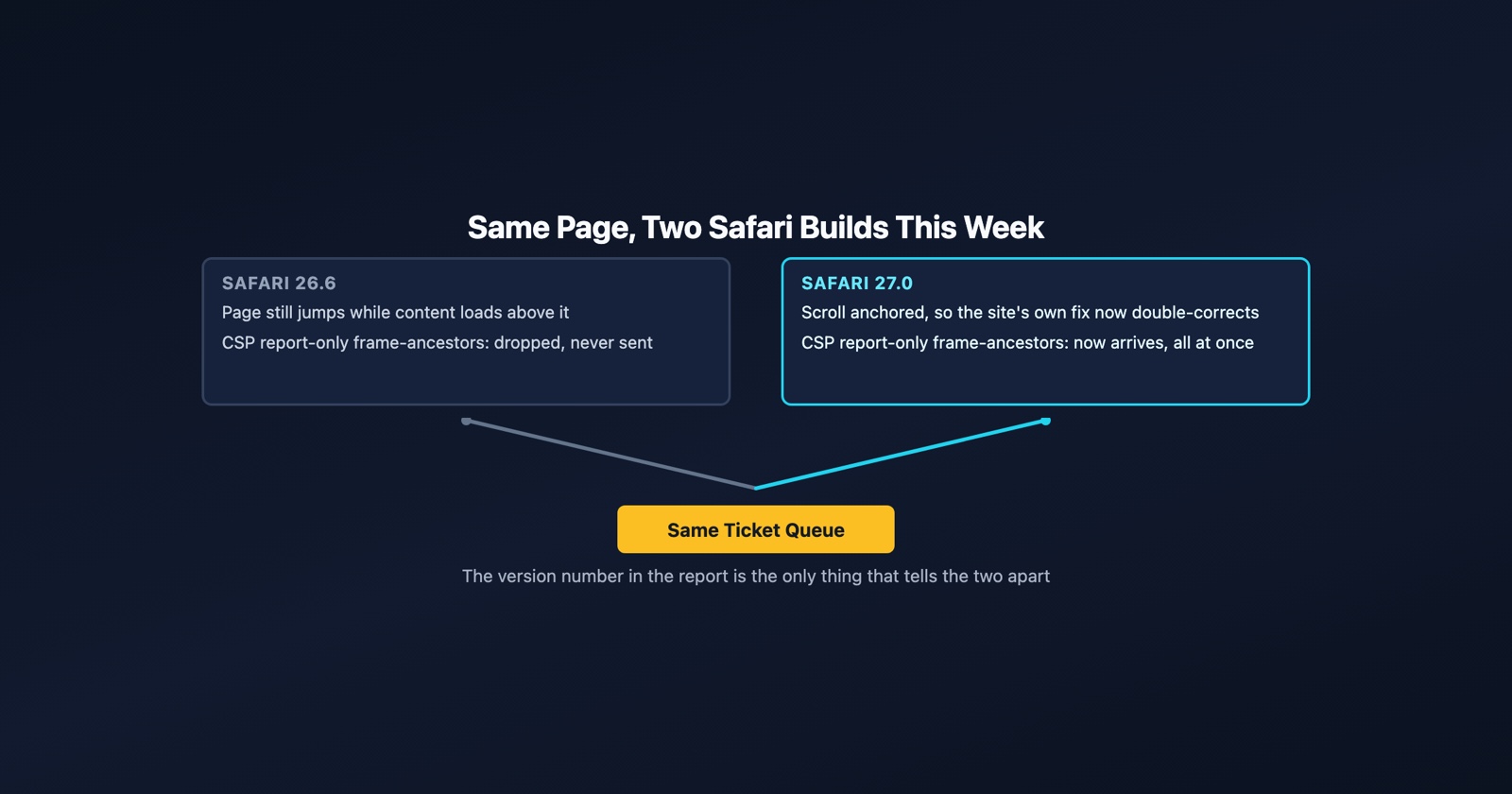
That closes a whole family of “the page jumps while I’m reading it” reports, for Safari 27 users only. The users still on Safari 26 will keep filing them, which is the first reason the version matters in the ticket.
The second reason is the trap. Plenty of sites fought the jump themselves: measure the height of whatever is about to load, and shift the scroll position by that much when it arrives. That code was correct on Friday. Today, on Safari 27, the browser makes the same correction first, and the site’s correction lands on top of it. The page now jumps in the other direction, by exactly the amount the site used to fix. A report that says “the page jumps up when images load, it never did that before” is that bug, and the honest reply is that the site’s fix is now the cause.
The standard way out is the same in every browser: overflow-anchor: none on the container
switches the browser’s anchoring off for that region, so the site’s own compensation is the only
one running. Or, better, delete the compensation and let all three engines handle it.
The same section of the notes fixes something narrower that produced a very confusing report
shape on iOS: calling scrollTo during a momentum scroll used to interrupt the scroll dead. A
page that scrolled the user somewhere and then felt as if it had grabbed the screen was often
this. Fixed in 27, present in 26.
Eight Content Security Policy fixes, and two of them generate reports
The Security section of the release notes lists eight Content Security Policy corrections. Six of them make Safari stricter or more correct in ways that mostly affect pages that were already slightly wrong. Two of them will show up in a report endpoint with no change on your side.
frame-ancestors violations in a report-only policy were being dropped instead of reported.
Now they are sent. A site running Content-Security-Policy-Report-Only with frame-ancestors
in it, which is how most teams find out who is embedding them before enforcing anything, has
been blind to Safari for as long as that policy has existed. From this week, the reports arrive.
The volume can look like an attack. It is a backlog.
JSON module imports (import data from "./x.json" with { type: "json" }) were being checked
against script-src. The specification says connect-src, and Safari 27 now agrees. A policy
that allowed the JSON’s origin under script-src but not under connect-src starts blocking
those imports, and a policy that did the reverse starts allowing them. Either way the page’s
behaviour changes on one browser version and not the one before it.
- Weak
- Our CSP report endpoint filled up overnight. Something is embedding us everywhere.
- Better
- frame-ancestors report-only violations from Safari 27.0 started arriving on 15 September. Safari 26 was dropping them, so this is the existing embedding we could not see, not new embedding.
Two more from the same list are worth a sentence, because they turn a broken page into a working
one and that is also a change someone will notice. <object> elements that load images were being
blocked by img-src and no longer are. And 'self' did not match script sources in documents
with an opaque origin, such as a sandboxed iframe, so some scripts that should have run did not.
Both fixed. If a page mysteriously started working on somebody’s phone this week, it may not have
been your deploy.
Styled selects that used to be plain
appearance: base-select arrives in Safari 27, with the <selectedcontent> element. Any site
that already shipped a customised <select> for Chrome, guarded by feature detection, now gets the
custom version on Safari as well. That is the intended outcome and usually a good one. It is also
the first time that CSS has ever run on Safari, and the first time anyone has seen it on an iPhone
at the real width, with the real keyboard, in the real dark mode. Expect the odd report, and treat
“the dropdown looks different on my phone since yesterday” as accurate rather than as confusion.
Secure cookies on localhost
Buried in Networking: Safari now honours Secure cookies on loopback hosts. Every other engine has
done this for years, and it is why a login flow could work in Chrome on localhost, fail only in
Safari, and send someone down an hour of checking certificates. That specific hour is now gone.
What localhost actually is
covers the rest of why “it works on localhost” proves less than it sounds.
What all of this means for the report
Every item above has the same shape: the same page, behaving one way on Safari 26.6 and another on Safari 27.0, on the same day, for two people sitting next to each other. That shape is only diagnosable if the report says which one it came from.
Most reports do not. “Safari on my iPhone” is what people write, and it is not their fault: on an iPhone the Safari version is the iOS version, it lives in Settings under General and About, and the update happened while they were asleep. So the first question back has to be the version, before the steps, and the cheapest way to get it is a page that reads it out. Ours is at /tools/user-agent: it shows the browser and version, the operating system, the screen size and the colour scheme, and the reporter can paste the lot. It works in any browser, because it has to.
One honest limit on our side. Session Replay is a Chrome extension. It cannot capture a report from Safari, and a bug that only happens in Safari 27 will not appear on a page opened in Chrome. What it does do is settle the other half of the question quickly: open the same page in Chrome, capture it, and you know within a minute whether the failure is in the page or in the engine. That is the whole of cross-browser testing in practice: three engines, and knowing which one you are looking at.
For the Safari half, if you have a Mac, Web Inspector over a cable is still the way, and how to inspect element on an iPhone walks through it. Safari 27’s Web Inspector shows each request in a redirect chain individually now, which is a small mercy when the bug is a login loop.
Session Replay
Free Chrome extension. One click on the page that is misbehaving captures the screenshot, the console and the network log, and hands you a link to paste into the ticket.
The rest of the release, briefly
A few more things in the notes that a developer will want to know exist.
Streams got easier to consume. for await...of over a ReadableStream, ReadableStream.from()
to build one from any iterable, and streams can be transferred through postMessage(). Code
written for Chrome that leaned on any of these now runs in Safari without a polyfill.
Web extension errors are reported. Uncaught exceptions and unhandled promise rejections in a Safari web extension’s scripts are now surfaced, where before they vanished. If you maintain a Safari port of a Chrome extension, expect to learn about errors it has had for some time.
The service worker static routing API is in, which lets a service worker declare up front which requests bypass it, so the network path for a static asset no longer waits on a worker starting up.
Four SVG removals. SVGLocatable, SVGTransformable, nearestViewportElement,
farthestViewportElement and viewTarget are gone, along with glyph-orientation-horizontal.
Old SVG tooling that touched any of those will throw on Safari 27 and not on 26, which is one more
version-specific report to recognise.
What to take from it
A browser update is a change to production that nobody on the team deployed, reviewed or can roll back, and it lands on a different fraction of users each day for a week. The only defence is knowing which version each report came from, so that “it started yesterday” can be matched to “Safari 27 shipped yesterday” instead of to the last deploy.
Apple’s own notes are the reference, and they are long: Safari 27 Release Notes.