How the category compares
An honest table across the tools people shortlist together, sourced from each vendor's own published pages and dated.
Pinned feedback tells you where. This tells you why: the console output, every request the page made, the response bodies inside them and a first view of what went wrong.
A pin on the page says where to look. It cannot say what the browser was doing at that moment.
A client pins the broken thing, writes a clear sentence about it and files it. On the developer's machine the page works. The pin is accurate, the description is accurate, and neither of them holds the one fact that would explain it, because that fact was in the browser rather than on the page.
So the task sits in a column and the thread starts. Which browser was it. Did anything appear in the console. What did the checkout request come back with. The client is not the person who can answer any of those, which is why the task goes quiet and comes back a fortnight later with the same screenshot.
A deeper capture removes the thread rather than shortening it. The console output goes with the report, along with every request the page made while the capture ran, the bodies those requests came back with when you have switched them on, and the browser, the operating system and the window size it happened in. Nobody has to ask the client to open DevTools.
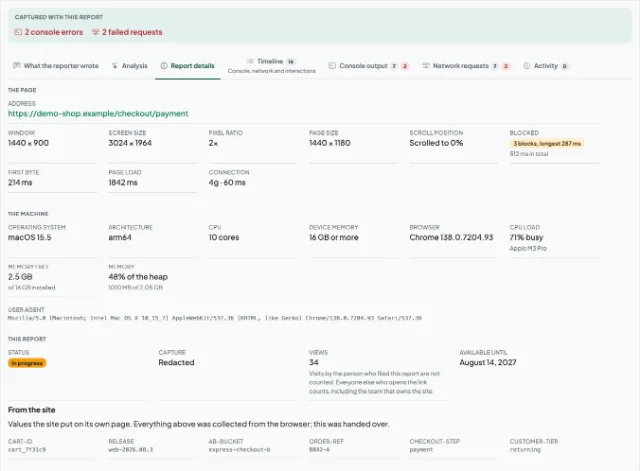
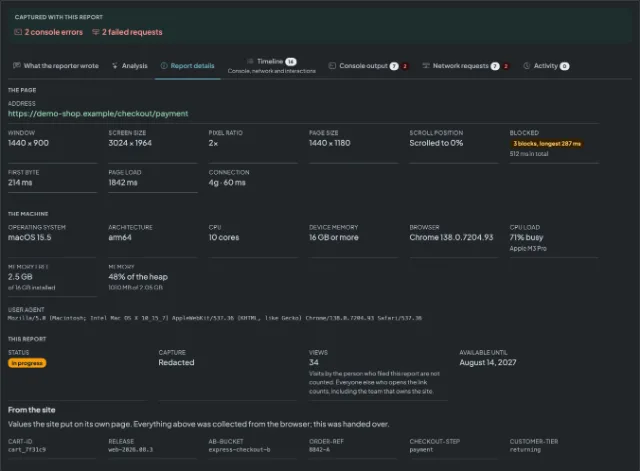
Collected around the capture, with nothing to fill in by hand.
Every request the page made while the capture ran, with method, status and timing, and the whole log downloadable as a HAR file to open in Chrome's own Network panel.
What the server actually sent back, not only the status it sent it with. Opt-in per recording, because a response body carries whatever the page was given, and capped by plan.
A model reads the whole capture the first time somebody opens the report and writes back steps to reproduce, a likely cause and a suggested severity, quoting the line it argued from. It can be wrong, and what was recorded sits beside it.
Errors and warnings from the page with their stack traces, so the reply to a report does not have to begin by asking somebody to open DevTools.
Browser and version, operating system, screen and window size. The four questions a reply usually opens with, answered before it is sent.
A report is a link. It opens for whoever you send it to, with no sign-in at either end, so a client can hand a bug to a developer without either of them buying a seat.
There is no board here, so a report has to land somewhere your team already looks: Slack, Microsoft Teams, Jira Cloud, Webhooks, GitHub, GitLab, Bitbucket, Linear, ClickUp, Trello, Asana and Shortcut. What each destination does with a report, and what connecting it takes, is on the connectors page.
This captures a page deeply and hands you a link, which is where the comparison starts and also where it stops. So that it is a fair one:
BugHerd is a trademark of its owner. We are not affiliated with, endorsed by or connected to it.
An honest table across the tools people shortlist together, sourced from each vendor's own published pages and dated.
The same comparison against the other tool people shortlist here, where the argument is about how deep the capture goes.
Install it, capture the bug once, and send a link that already answers what the reply would have asked.